Best currency converter apps for travel in 2026: 8 compared
Updated November 28, 2026
The best currency converter app for travel depends on the job. To point your phone at a price tag or menu and see it in your own money, even with no signal, we pick Kahei; to send money abroad, get Xe; to type amounts into a long-running favorite, get Currency by Jeffrey Grossman.
We make Kahei, so read how we compared them before you take our word for it.
How we compared them (and our bias)
We build Kahei, which is about as conflicted as a reviewer gets. So we kept the rules simple. Everything we say about another app comes from its US App Store listing, checked on November 28, 2026. We haven't taken the other apps on a trip, so when a feature comes from a listing, we say the listing "lists" or "says" it. Ratings are the US App Store average and count on that day. If a listing doesn't mention offline use or a camera, the table says "Not listed" instead of guessing.
We judged them on what matters at a shop counter abroad: can it read a price with the camera, does it work with no signal, and how it makes money.
The quick comparison
| App | Reads prices with the camera | Works offline | How it makes money |
|---|---|---|---|
| Kahei | Yes, live | Yes, from the first launch | 20 free scans a day, then trip passes or Lifetime |
| Xe | Not listed | Not listed | Money transfers |
| Currency | Not listed | Not listed | Ads, or Currency+ to remove them |
| Currency Converter Plus | Not listed | Yes, "full offline mode" | Ads, or Premium to remove them |
| Converty | Yes, live | Yes, last refreshed rates | Weekly or yearly Pro subscription |
| Juvo | Yes, live | Yes, last rates | Weekly Vacation Pass or Lifetime |
| Travel Currency | Yes, live, with Pro | Yes, cached rates | Banner ads, or a $4.99 Pro unlock |
| CurrencySpot | Yes, capture a price | Yes, saved rates | Free, no in-app purchases listed |
| iPhone Camera and Calculator | Yes, tap a price in Live Text | Apple doesn't say | Free |
Best for reading price tags: Kahei
Kahei is built for one moment: you're standing in front of a shelf, a menu or a receipt, and you want to know what one price is in your money. Keep that price in the scan area, or tap the one you want, and the estimate sits right on the camera view.
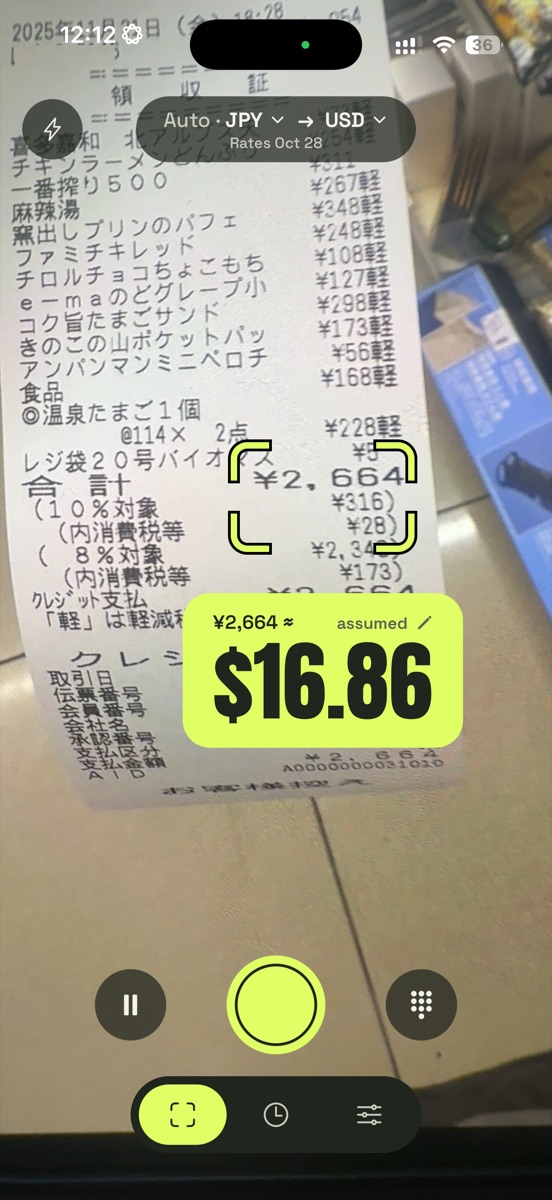
Here's where we think it beats the rest:
- It works offline from the first launch. Kahei ships with reference rates inside the app, so it converts on a plane before it has ever been online. After that it saves the latest daily rates whenever you connect.
- It shows the rate date. Kahei uses the European Central Bank's daily reference rates and puts their date on screen. Daily is plenty for a price tag: if the yen moved a full 1% in a day, an $8.02 price would change by 8 cents.
- It settles
$and¥. A$could be US, Canadian, Australian or Hong Kong dollars (Mexico's peso uses it too, just to keep things interesting), and¥means both yen and yuan. Kahei goes with the trip currency you pick, so a¥in Tokyo is yen.
For scale: at the November 27, 2026 ECB reference rate, a ¥1,280 price tag is $8.02 (£6.11, €7.32 or A$12.03).
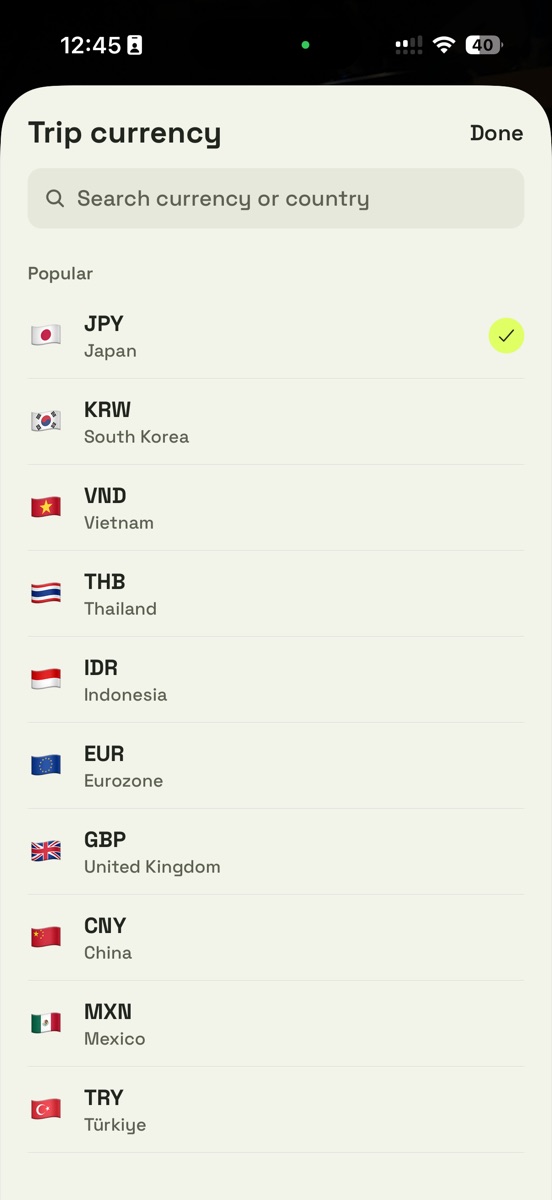
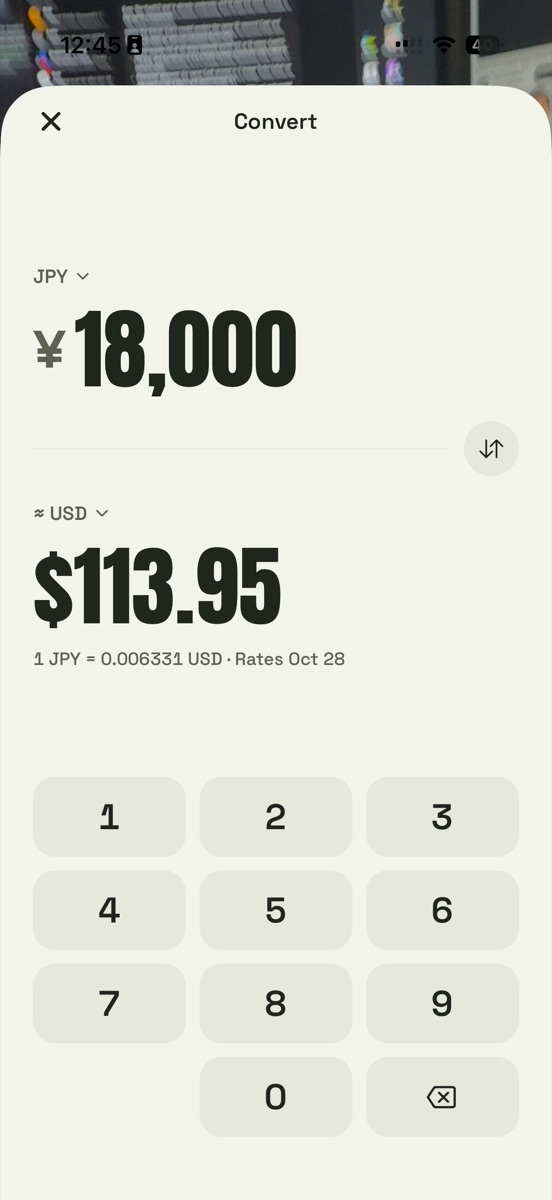
When there's nothing to point at, a number pad converts typed amounts. Your camera scans stay in History on your phone, and text recognition runs on the phone too: camera images and recognized text aren't uploaded to our servers.
Kahei is free for 20 camera scans a day, and typed conversions are unlimited. For unlimited scanning, a one-time pass costs $1.99 for a day, $4.99 for 7 days or $7.99 for 4 weeks, or $14.99 for Lifetime (US App Store prices). It's on iPhone and Android.
Where it falls short: it reads one price at a time, so it won't add up a whole receipt. It has no rate alerts and can't send money. And it's new: it only launched on October 31, 2026.
Best for sending money abroad: Xe
Xe is the biggest name on this list, with 130,386 ratings averaging 4.8. Its listing calls it a money transfer app, a currency converter and a live exchange rate tracker, with transfers to 190+ countries in 130+ currencies, rate alerts and multi-currency balances. If you pay a deposit abroad or send money home, it's the one to have, and it's on Android too. The listing doesn't mention camera scanning or offline use.
Best for typing amounts: Currency
Currency by Jeffrey Grossman says it has been the iPhone's top currency converter since 2008, when it launched as one of the App Store's first 500 apps. It covers 160+ currencies, runs on iPhone, iPad and Apple Watch, and has 79,307 ratings averaging 4.8. The free version shows ads; Currency+ removes them and unlocks the rest. Its listing doesn't mention a camera or offline use.
Best for typing with no signal: Currency Converter Plus
Currency Converter Plus lists a full offline mode with 180+ currencies, plus gold, silver, platinum, palladium and 11 cryptocurrencies, which is a lot of firepower for buying a croissant. Its 1,645 ratings average 4.8. It's free with ads, and Premium removes them.
Newer camera converters worth a look
Camera scanning has gotten crowded. All four apps below first appeared on the App Store in 2025 or 2026, so like Kahei, they're new. Here's what their listings say:
- Converty converts price tags, menus and receipts live through augmented reality, keeps the last refreshed rates for offline use, and lists 160+ currencies updated every 30 minutes. Full access is a weekly or yearly Pro subscription.
- Juvo, which used to be called Currency Converter & Scanner, converts the main price live in the camera and has a Snap button to freeze the frame and pick a different price. It also lists a receipt mode that totals the lines you select. The converter is free; unlimited scans need a weekly Vacation Pass subscription or a Lifetime purchase.
- Travel Currency lists live camera text recognition, receipt scanning with a running total, 161 currencies and cached offline rates with a "last updated" time. The camera and receipt tools come with Pro, a $4.99 one-time unlock (the developer says half the profits go to charity). The free version has light banner ads.
- CurrencySpot captures prices on menus and in shops, adds up purchases in a built-in calculator, and converts offline with saved rates. It needs iOS 18.2 or later, and its listing shows no in-app purchases.
If you want a whole receipt added up in your money, Juvo and Travel Currency list a receipt mode. Kahei reads one price at a time.
The free option already on your iPhone
Before you download anything, check what your iPhone already does. Point the Camera app at a price and Live Text can offer a "convert currencies" quick action at the bottom of the screen. The Calculator app also converts currencies in its basic and scientific modes.
Apple's guides don't say where those rates come from or whether they work offline, so try both in airplane mode before your trip. If you check two prices a week, that might be all you need. We just prefer not to tap through menus at a register with a line forming behind us.
What about Android?
Kahei and Xe are both on Google Play. The other apps here are App Store listings, which is where we checked them. Whatever you use on Android, run the airplane-mode test below before you fly.
How to pick, whatever you choose
- Test it in airplane mode at home. If it can't convert with no signal on your couch, it won't at a night market either.
- Check that it shows the rate date. A converter that hides how old its rates are can quietly use last month's yen.
- Try a
$or¥price. See whether it asks, guesses or lets you set the currency. - Pay in local currency anyway. Whatever the app says, pick the local currency when a card terminal offers dollars. Our guide to paying in local currency shows what the other button costs.
Going to Japan? Learn to read the two prices on a tag in do prices in Japan include tax?, keep the yen cheat sheet handy, read how much cash to bring to Japan, or run a quick sum in our currency calculator.
Euro reference rates from the European Central Bank; cross-rates calculated by Kahei.